Solution areas
Five areas, one connected foundation.
Everything we build falls into one of five areas. Each works on its own — together they share the same data, the same security model and the same tenant.
01
Knowledge
Knowledge bases that people can actually search, across companies and languages, with a live board of ongoing issues so known problems never become duplicate tickets.
02
AI Support
Agents that answer first-line questions in Teams, in your users' own languages, and raise a pre-filled ticket when they genuinely can't help.
03
Services
Self-service catalogues for software, hardware and access — requests route themselves to the right approver and become tickets and asset records without rekeying.
04
Learning
Training centres where staff enrol themselves, deadlines and waitlists are handled automatically, and certificates generate and file on completion.
05
Experience
Satisfaction surveys that fire when a ticket closes, and live dashboards that score the trend month by month — without anyone building a report.
Connected foundation
One foundation
These aren't five separate products bolted together. They run on the same Power Platform foundation, in your tenant, so one app's output is the next app's input: the service shop creates the tickets the agent answers, the knowledge base feeds the agent's answers, and the surveys measure how it all went.
Have a system or a wish that isn't in the picture? That's usually the interesting part — tell us and we'll tell you honestly whether it fits.
What we build
Six things we have built, and would build again.
Each one started as a process somebody was doing by hand every week. Filter by the kind of work.
AI agents
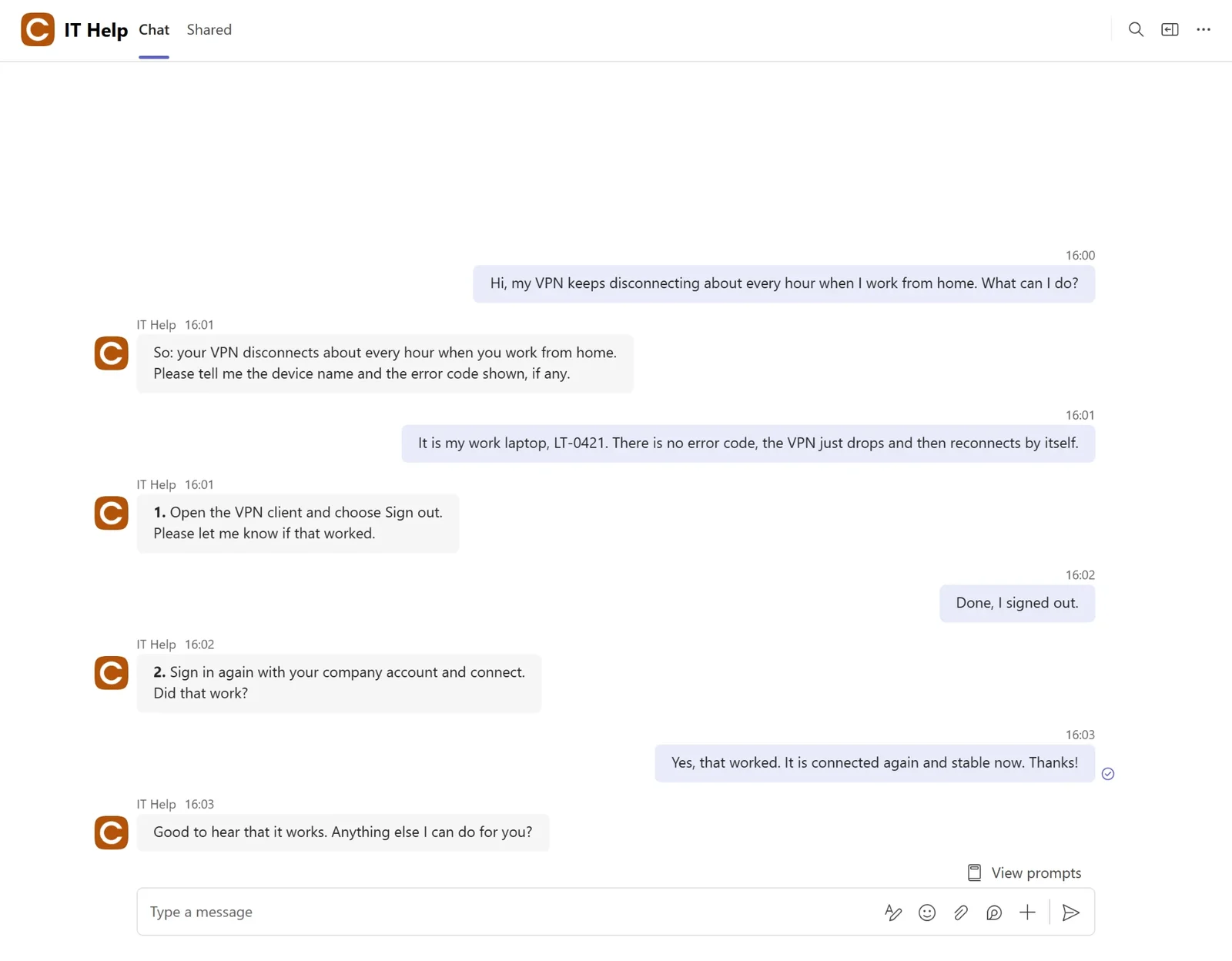
IT helpdesk agent
Answers first-line IT questions in four languages inside Teams, and raises a pre-filled ticket when it can't help.
- Answers from your approved knowledge base first, not generic guesswork
- Falls back to a web search only when the knowledge base has no match
- Routing rules decide answer-vs-escalate on every question
- Tickets are written straight into the existing ITSM system
See how it worksWhat does it cost to run?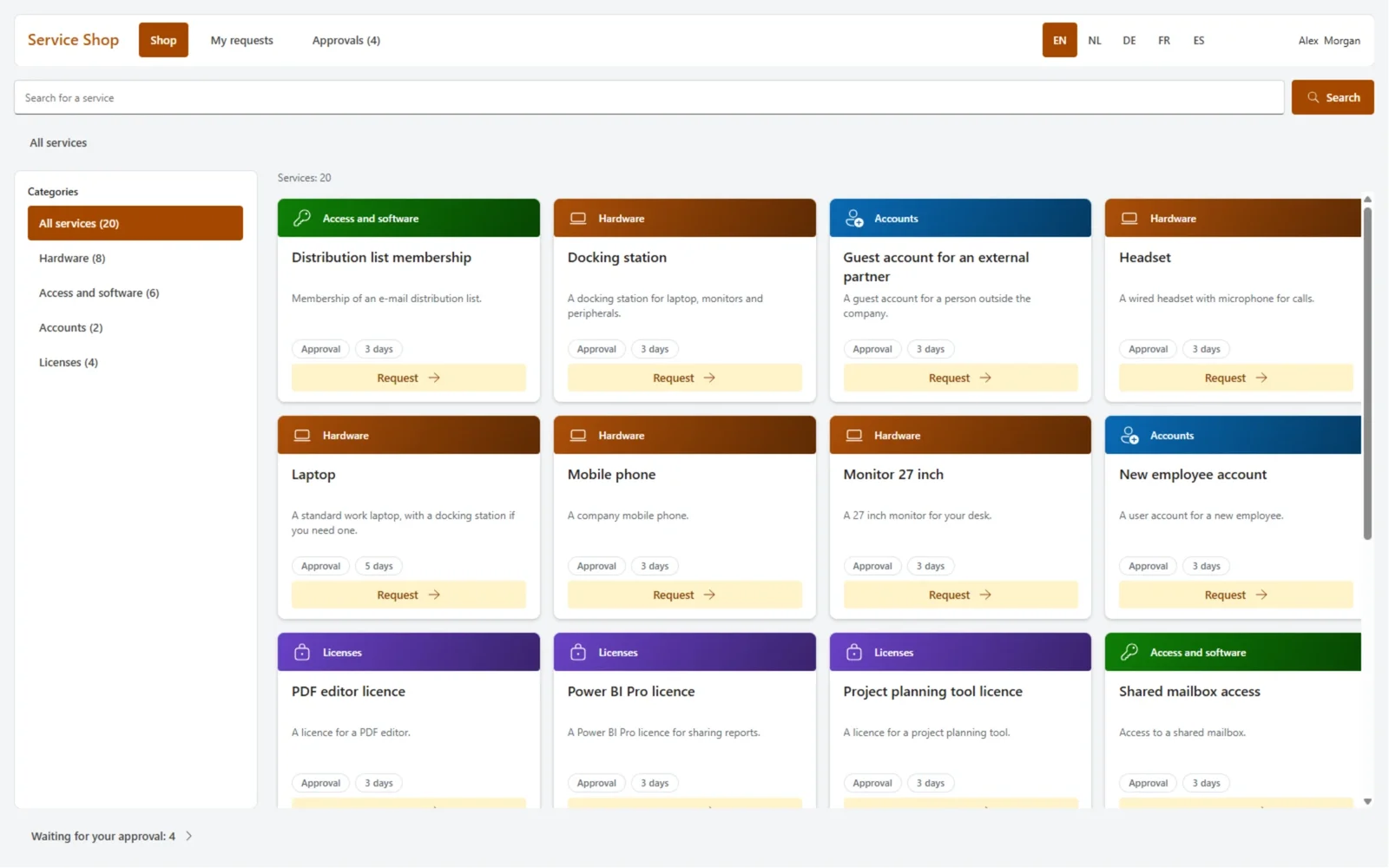
Business apps
IT service shop
Software, hardware and access requests become a catalogue that approves and ticketises itself.
- Dynamic request forms tailored per service
- Multi-step approval chains routed to the right people
- Approved requests create tickets and asset assignments automatically
See how it works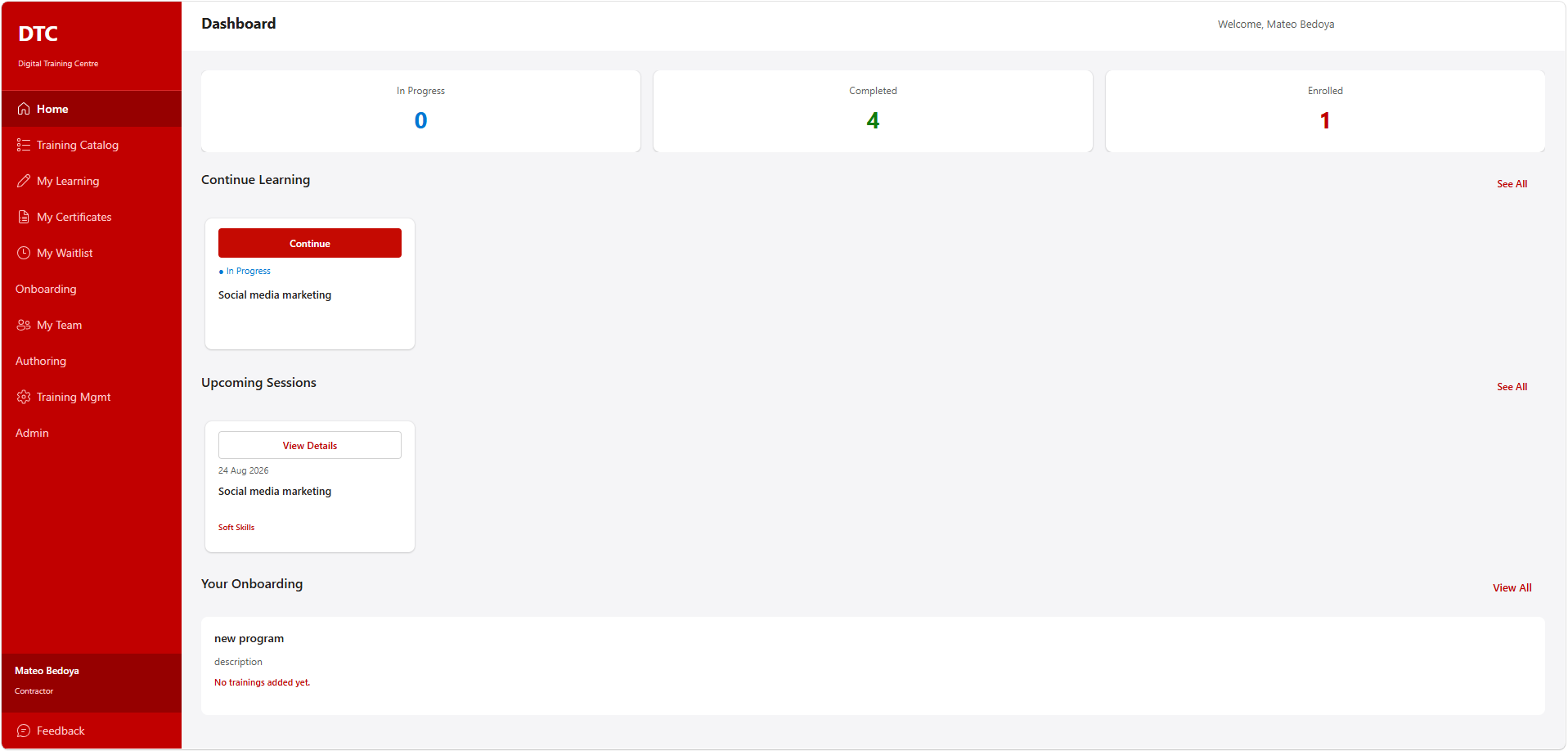
Business apps
Training centre app
A training catalogue staff browse and enrol in themselves, with automatic deadlines and certificates.
- Role-based access for learners, managers and admins
- Automatic seat, waitlist and deadline handling
- Certificates generated and filed on completion
See how it works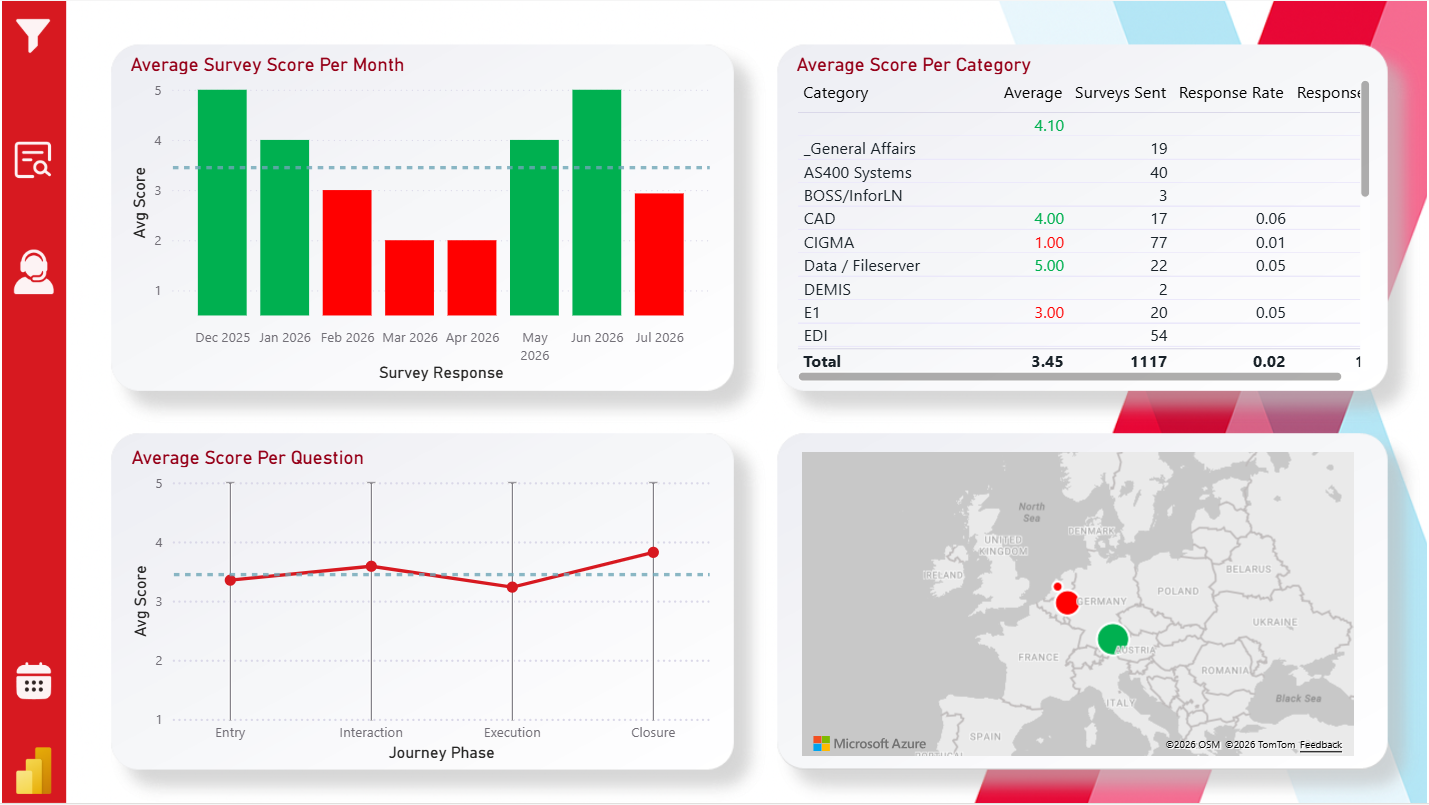
Reporting
Satisfaction reporting
Surveys fire when a ticket closes and a live dashboard scores satisfaction month by month.
- Surveys dispatched automatically when a ticket closes
- Responses collected and de-duplicated in one place
- A live dashboard scoring satisfaction month by month
See how it works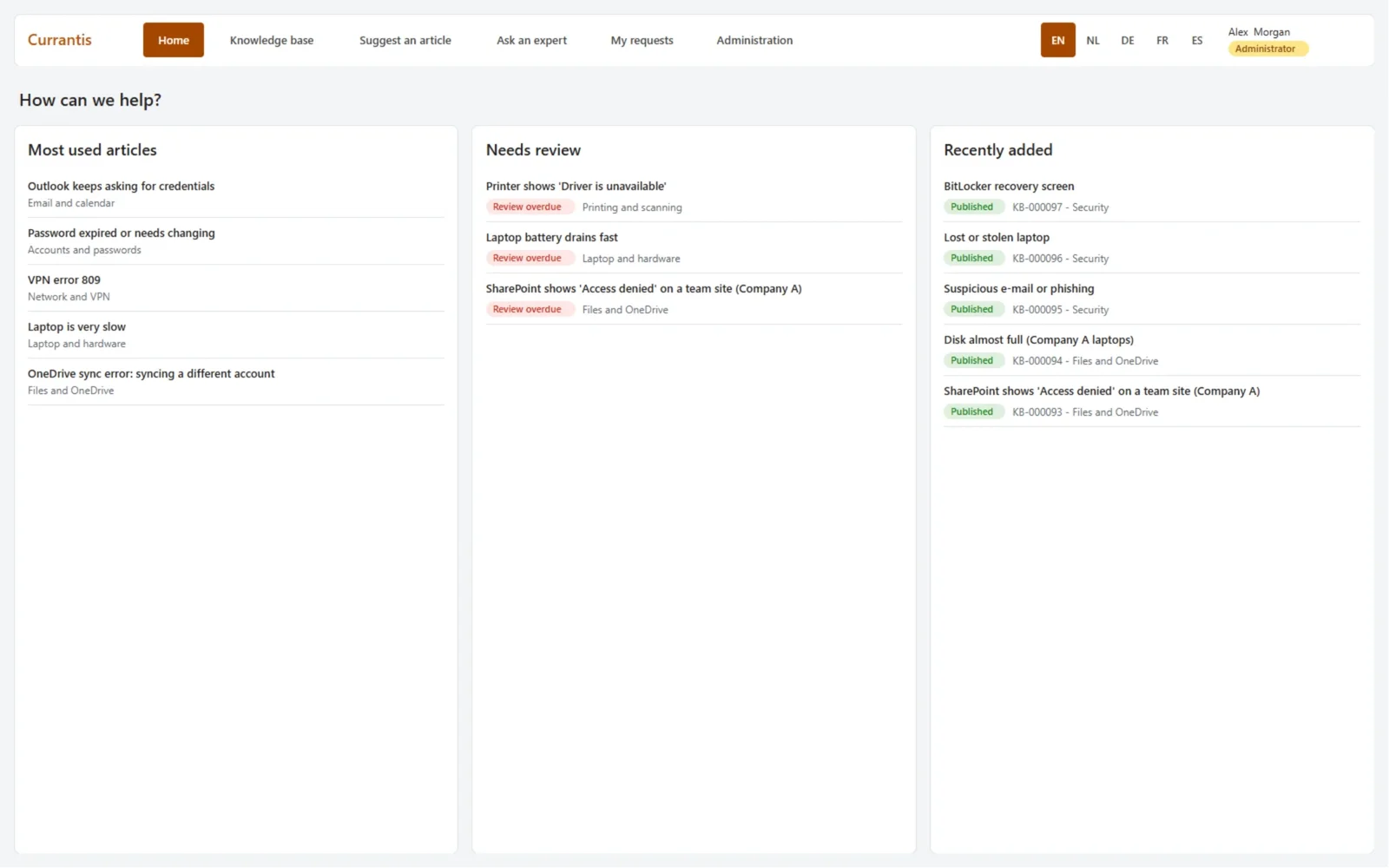
AI agents
Knowledge base search
Search the whole knowledge base across companies and languages, beside a live ongoing-issues board.
- Search across companies and languages
- A live ongoing-issues board with status and severity
- Direct links back to the underlying knowledge articles
See how it works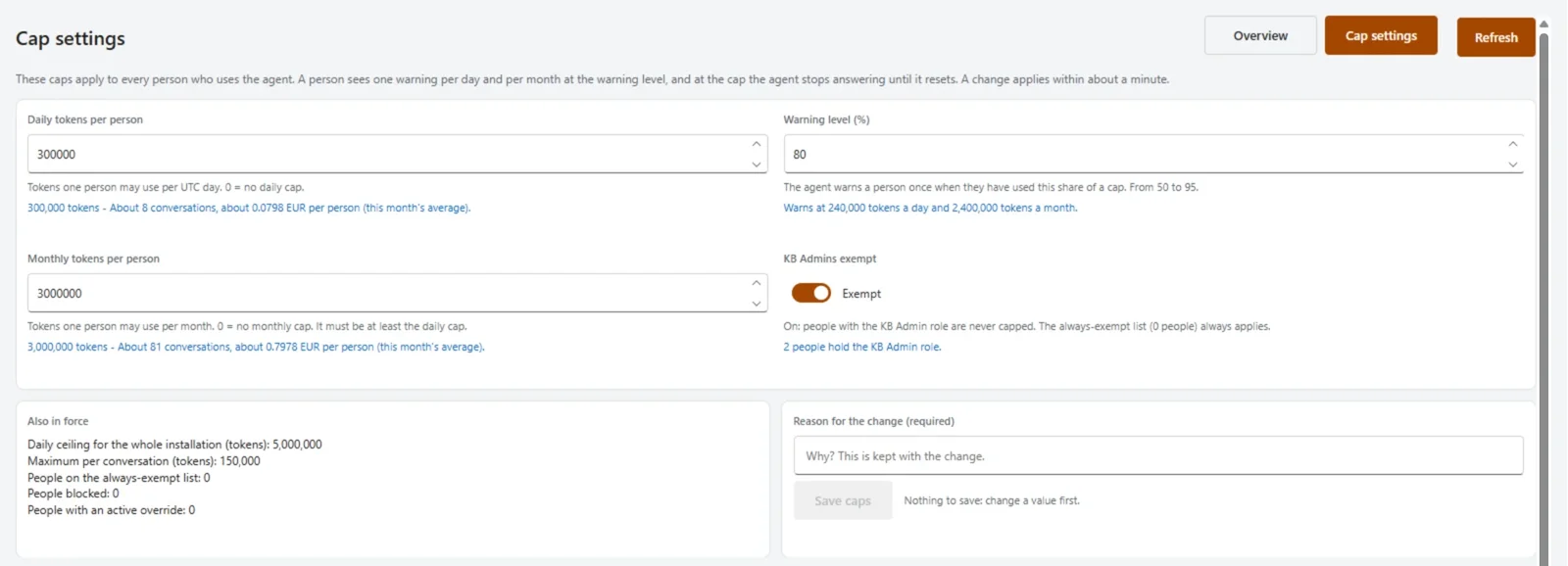
AI agents
Agent Review & Cost Control
Already have an AI agent? See what it does and keep its costs in check. Works with agents built in Microsoft Copilot Studio, and with ours.
- Usage limits per person, managed by your IT team
- See what your agent solves and hands over
- Find the questions it can't answer yet
- Connects to the agent you already have
See how it works
Looking for the agent specifically?
The helpdesk agent is the hub of everything else we build — and it has its own page, including a calculator for what it would cost to run at your numbers.
About our AI agents